
🔥 FLEXIBLE & SECURE PAYMENTS — USDT • USDC • BTC • ETH • SOL • TRON (TRC20) • BINANCE PAY • KAST & MORE
IPTV Provider Comparison Checklist: Features, Reliability & Support
A practical IPTV provider comparison checklist: test shortlisted services side by side, measure reliability, compare support and score the results with weights that fit your household.
 plustv
•
13 min read
Once you have narrowed your options down to two or three services, the hard part begins: comparing them fairly. Sales pages are written to look similar, trials are short, and it is easy to choose the provider that felt best on one evening rather than the one that performed best overall. This IPTV provider comparison checklist gives you a structured way to put shortlisted services side by side, score them on the same terms and keep notes you can rely on.
It focuses on three areas that matter most after you have paid: features, reliability and support. It assumes you have already decided what your household needs and checked that each provider is authorised to offer its content where you live. If you have not done that yet, start with our guide on what IPTV is and come back when you have a shortlist.
Table of Contents
IPTV provider comparison checklist at a glance
Use this summary as your scorecard outline. Score each provider from 1 (poor) to 5 (excellent) in every row, using evidence from your own testing rather than marketing claims.
| Area | What to check | Evidence to record |
|---|---|---|
| Channel coverage | Your must-have channels for your region | Working, missing or unreliable for each |
| Features | EPG accuracy, catch-up, on-demand, search | Notes from real use of each feature |
| Devices and apps | Every device in your home, same player app | Setup time and any problems |
| Reliability | Start time, switch time, freezes, recovery | Timings and freezes per hour, day and evening |
| Picture and sound | Sharpness, frame rate, audio sync | Same content compared across providers |
| Support | Same two questions sent to each provider | Reply time, accuracy and clarity |
| Pricing and terms | Effective monthly cost, renewal and refunds | Total cost including app and payment fees |
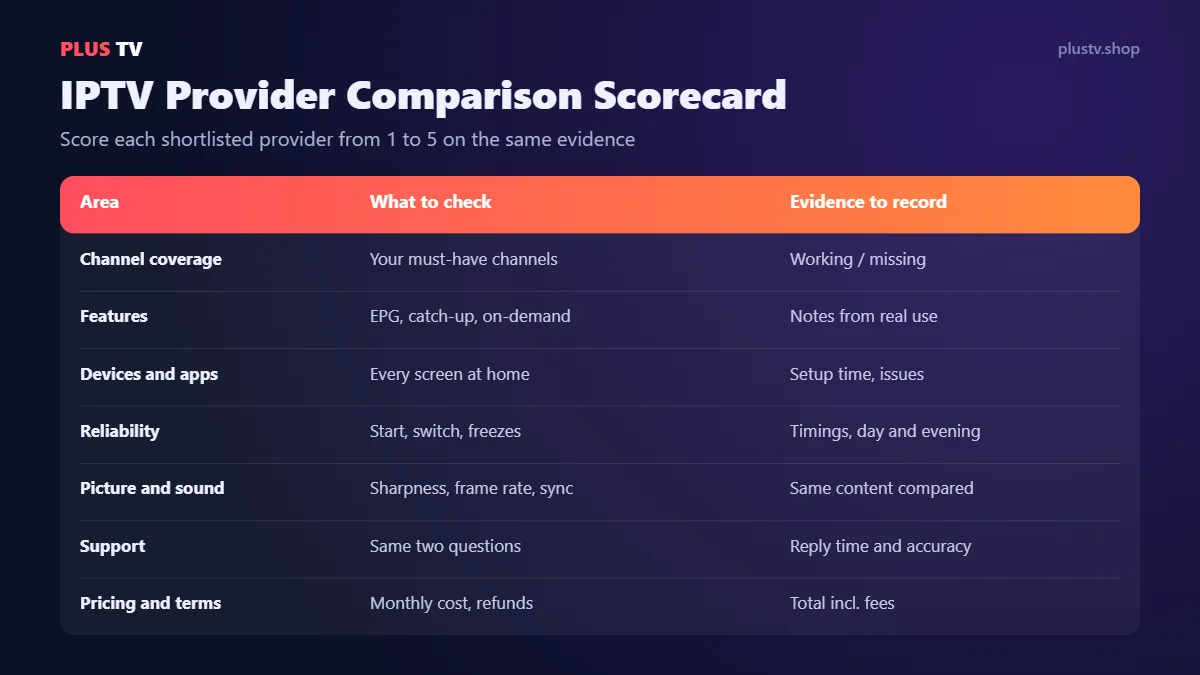
The sections below explain what to look for in each area and how to collect the evidence in a short trial period.
Set up a fair comparison
A comparison is only useful if every provider is tested under the same conditions. Before you start, decide which device, which internet connection and which player app you will use, and keep them the same for every service. If you test one provider over Ethernet and another over Wi-Fi, you are comparing your home network, not the services.
Prepare a simple log: a spreadsheet or a page in a notebook with columns for date, time, provider, channel, what you did and what happened. Write down your must-have channels before testing so you check the same ones for every provider. Plan your tests for comparable times of day; a provider tested on a quiet Tuesday afternoon will almost always look better than one tested during a Saturday-night football match.
Finally, check your own connection so you can rule it out later. A quick test with a tool such as M-Lab’s speed test, run near the TV at the start of each session, gives you a baseline. If one provider struggles while your connection measures the same as usual, the problem is more likely to be the service.
Compare features that you will actually use
Feature lists tend to be long and similar. The aim is not to count features but to check the ones your household depends on, and to see how well they work in practice.
Channel coverage for your list
Go through your must-have list on each provider and mark every channel as working, missing or unreliable. A provider with 300 channels that includes all ten of yours beats one with 10,000 that is missing three. Compare the published channel list with what you actually see in the app, because lists and live line-ups can differ.
Programme guide and catch-up
Check whether the electronic programme guide (EPG) is accurate for your channels and how far ahead it shows. Compare a few listings against the broadcaster’s own schedule. If catch-up or recording-style features matter to you, test them on real programmes and note how long content stays available.
On-demand library and search
If you plan to use video on demand, search for five titles you would genuinely watch. Note how many each provider has, whether they play in your language with subtitles, and whether search returns the right results without scrolling through duplicates.
Devices and apps
Confirm that each provider works with every device in your home, using the same player app wherever possible. Record whether setup was straightforward and whether the instructions matched what you saw on screen. Our installation tutorial shows what clear setup guidance looks like, and the Fire TV Stick setup guide covers that popular device in detail.
Simultaneous streams and household rules
Test the number of screens that can play at the same time, not just the number of logged-in devices. Start a stream on one device, then a second, and note what happens if you try a third. Read each provider’s terms on household use so you are comparing like with like.
Measure reliability, not impressions
Reliability is the hardest area to judge in a short trial and the easiest to get wrong. Rather than relying on whether a service “felt smooth”, record a few simple measurements during each session.
- Start time. Roughly how many seconds a channel takes to begin playing after you select it.
- Channel-switch time. How quickly the picture appears when you move between channels.
- Freezes per hour. Count pauses or buffering events during a full hour of live viewing.
- Recovery. Whether playback resumes on its own after a pause or needs the app restarting.
- Peak-time behaviour. The same measurements during a busy evening or live event.
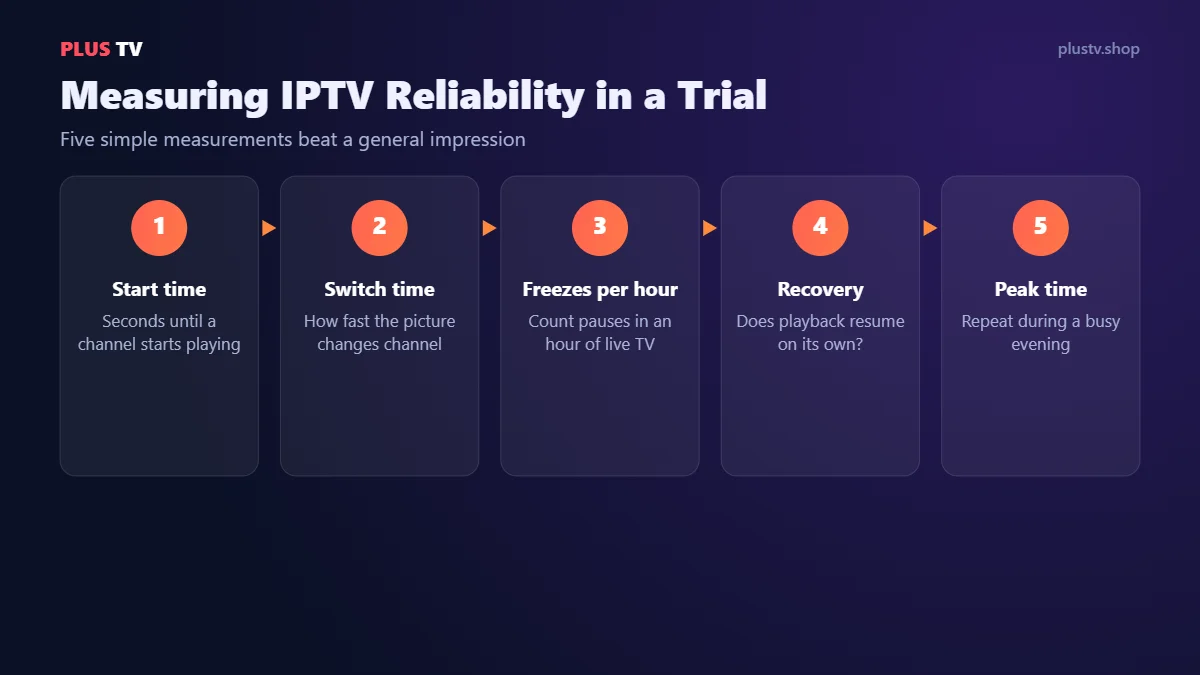
Use a phone stopwatch for timings; precision to the second is enough. Repeat the hour-long test at least twice per provider, once during the day and once in the evening. If you can, include one live sports broadcast, because fast motion and sudden audience peaks reveal problems that a quiet news channel hides.
When a problem occurs, note what else was happening. Was someone else downloading a large file? Did other apps also slow down? That context helps you separate a provider problem from a home-network problem. Our guide to the IPTV options available in Brazil is an example of how regional factors can also affect performance.
Keep the comparison honest by noting your own setup changes too. If you restarted the router, moved the streaming stick or updated the player app between sessions, write it in the log. A sudden improvement that coincides with one of those changes probably says more about your home network than about the provider.
Compare picture and sound quality
Quality labels such as HD, FHD and 4K describe the stream format, not the viewing experience. Compare the same type of content on each provider, ideally the same channel if both carry it. Look at sharpness during fast movement, banding in dark scenes, whether the frame rate stays steady and whether commentary stays in sync with the picture.
Check how each player handles quality changes. Some streams drop resolution briefly when the connection dips and recover smoothly; others freeze instead. A stream that adapts gracefully is often more watchable than one that holds a higher resolution until it stops completely.
Test support the same way for every provider
Support is easiest to compare when you ask every provider the same questions through the same channel. Prepare two short messages before your trials start:
- A setup question, such as how to configure the service on your specific device and player app.
- A policy question, such as how many simultaneous streams your plan allows or how refunds work.
Send both to each provider at a similar time of day and record how long each reply takes, whether the answer is accurate and complete, and whether the tone is clear and respectful. Helpful support asks for useful details such as your device model and error message and gives concrete next steps. Note whether answers match the published terms of service and policies; inconsistencies are worth taking seriously.
If something actually goes wrong during a trial, treat it as a free real-world support test. Report it with your log details and see how the provider handles it.
Compare pricing and terms like for like
Prices only become comparable once you convert them to an effective monthly cost and include the extras. For each provider, divide the total price by the number of months, then add any player app fee and payment fee. Compare plans of similar length; a 12-month price and a 1-month price are not like for like.
Then compare the terms that sit behind the price: renewal rules, cancellation steps, what happens if a channel is removed, and the refund policy. Read each provider’s policy in full, as you would the Plus TV refund and returns policy. A slightly higher price with clear, fair terms is often better value than a cheaper plan with vague ones.
Score and weight your results
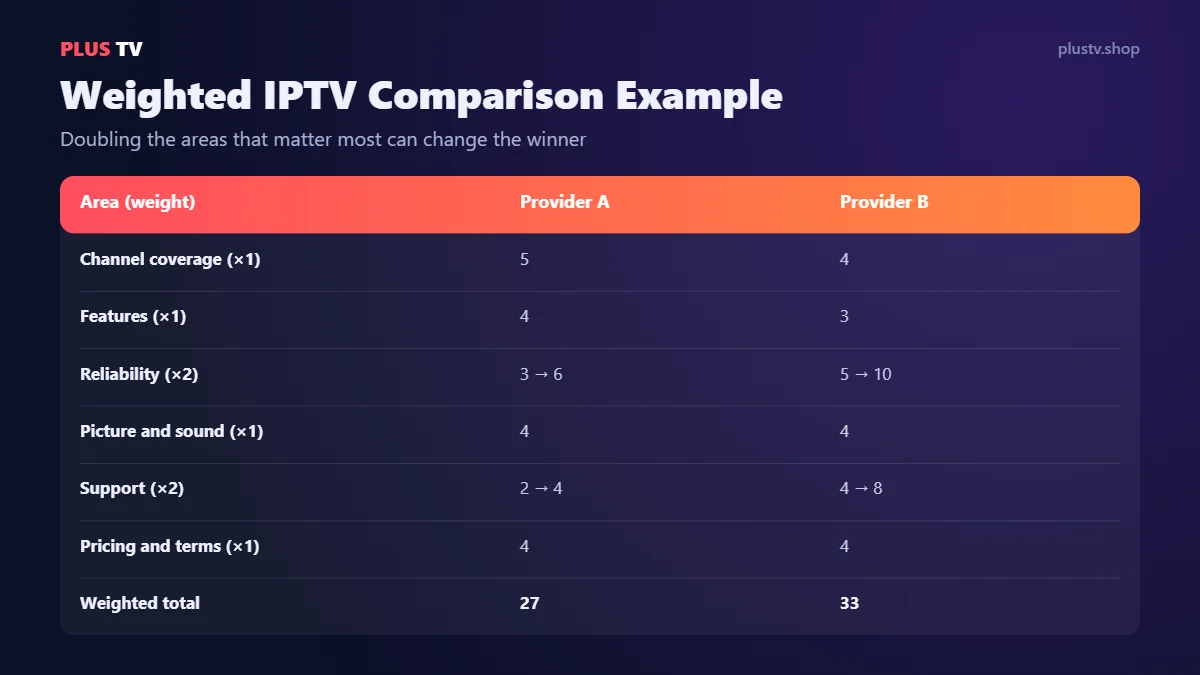
Transfer your evidence into the scorecard, giving each area a score from 1 to 5. Then apply weights that reflect your priorities. A simple approach is to multiply the most important areas by two. A sports fan might double reliability and picture quality; a family might double app experience and simultaneous streams; a viewer with a narrow channel list might double channel coverage.
| Area (weight) | Provider A | Provider B |
|---|---|---|
| Channel coverage (×1) | 5 | 4 |
| Features (×1) | 4 | 3 |
| Reliability (×2) | 3 → 6 | 5 → 10 |
| Picture and sound (×1) | 4 | 4 |
| Support (×2) | 2 → 4 | 4 → 8 |
| Pricing and terms (×1) | 4 | 4 |
| Weighted total | 27 | 33 |
In this example, Provider B wins despite slightly weaker features because reliability and support carry more weight for this household. The same raw scores could produce a different winner for someone else, which is exactly the point of weighting.
Adjust the comparison to your household
The checklist works for everyone, but the emphasis should change with how you watch. A few common situations:
- Sports-first viewers should run at least one test during a live match and weight reliability and picture quality heavily. Note how each provider behaves at kick-off, when audiences spike.
- Families should ask someone who did not set the service up to find a channel, open the guide and start a film. Weight app experience, parental controls and simultaneous streams.
- Multilingual households should check that channels and on-demand titles are available in each language they need, with correct audio tracks and subtitles.
- Single-screen, light viewers can give more weight to pricing and terms, since a short flexible plan may matter more than extra features.
Write your weights down before you start testing. Choosing them afterwards makes it tempting to adjust the numbers until your favourite wins.
Tie-breakers when scores are close
If two providers end up within a few points of each other, use these tie-breakers in order:
- Which provider explained its content rights and terms most clearly?
- Which gave more accurate and helpful support answers?
- Which performed better during your peak-time test?
- Which offers the shorter or more flexible first plan, so you can switch if needed?
Clear terms and good support are the factors most likely to matter months from now, when a channel changes or an app update causes problems.
Mistakes that skew a comparison
- Testing at different times. Evening congestion can make any provider look worse than it is.
- Changing devices or connections. Keep the setup identical across providers.
- Relying on memory. Without a log, the most recent experience tends to dominate.
- Counting channels instead of checking yours. Size is not coverage.
- Skipping the support test. It is the one area you cannot judge after the fact.
- Ignoring the terms. Refund and renewal rules can matter more than a small price difference.
Keep your notes for renewal time
Your comparison log is useful long after you have chosen. Save it with your order confirmation, the plan details and any written answers from support. When renewal comes around, you can quickly see whether the service still matches what you tested: are your channels still there, is evening performance similar, and have the terms changed?
A brief re-check before each renewal takes ten minutes and protects you from paying for a plan that no longer fits. If a provider’s performance has slipped, your earlier notes give you specific, dated examples to raise with support, which usually leads to a faster and more useful response than a general complaint.
Frequently asked questions
How do I compare IPTV providers fairly?
Test each provider on the same device, connection and player app, at similar times of day. Keep a log of channel coverage, start and switch times, freezes per hour and support replies, then score each provider on the same criteria.
What matters most in an IPTV provider comparison?
For most households it is coverage of your must-have channels, reliability at peak times and the quality of support. Weight these according to how you watch rather than by the size of the channel list.
How long should I test each IPTV provider?
Long enough to cover at least one daytime and one evening session, ideally with a live sports event. Short trials reveal everyday issues but cannot prove long-term reliability, so clear terms and good support matter too.
Should I compare IPTV providers on Wi-Fi or Ethernet?
Use the same connection for every provider. Ethernet removes most wireless interference, which makes it easier to see differences between the services themselves.
Is the provider with the most channels the best choice?
Not necessarily. A smaller line-up that reliably includes all of your must-have channels is usually better than a huge catalogue with gaps or unstable streams.
How do I compare support quality before paying?
Send each provider the same setup question and policy question at a similar time, then compare reply speed, accuracy and clarity.
Final thoughts
A good IPTV provider comparison takes a little planning but saves a lot of guesswork. Test every shortlisted service on the same device and connection, measure reliability instead of trusting impressions, ask each provider the same support questions, compare effective costs and terms, then score the results with weights that fit your household. The provider with the strongest evidence, not the loudest advertising, is the one to choose.
Related Articles
November 20, 2026
IPTV in Kosovo, Serbia and North Macedonia: Language and Device Compatibility Guide

November 20, 2026
IPTV in the Balkans: A Regional Viewing Guide for Families and Diaspora
November 20, 2026
IPTV in Albania: Devices, Albanian Language and Setup Guide

November 20, 2026