
🔥 FLEXIBLE & SECURE PAYMENTS — USDT • USDC • BTC • ETH • SOL • TRON (TRC20) • BINANCE PAY • KAST & MORE
IPTV Latency in Brazil: How to Measure Speed and Stability Properly
IPTV latency in Brazil explained: measure latency, jitter and packet loss with SIMET, separate network from player delay, and report problems clearly.
 plustv
•
11 min read
IPTV latency in Brazil is often blamed when a live match freezes, even while a speed-test app shows an impressive download figure. The real cause may be Wi-Fi interference, brief packet loss, an overloaded playback device, a congested delivery route or the media platform itself.
That is why claims such as “IPTV servers in Brazil” are best treated as a measurement question, not a geographic guarantee. This guide shows how to measure latency, jitter and packet loss properly, how to tell network delay from player delay, and how to turn your results into a support ticket that gets a useful answer.
Table of Contents
This guide explains what latency, jitter, throughput and live-player buffering actually measure, how to use NIC.br’s SIMET and when a local experiment can narrow a problem. It does not pretend to know the location or performance of any unexamined supplier’s infrastructure. To understand IPTV latency in Brazil, distinguish download speed from delay, jitter and packet loss.
IPTV latency is not the same as throughput
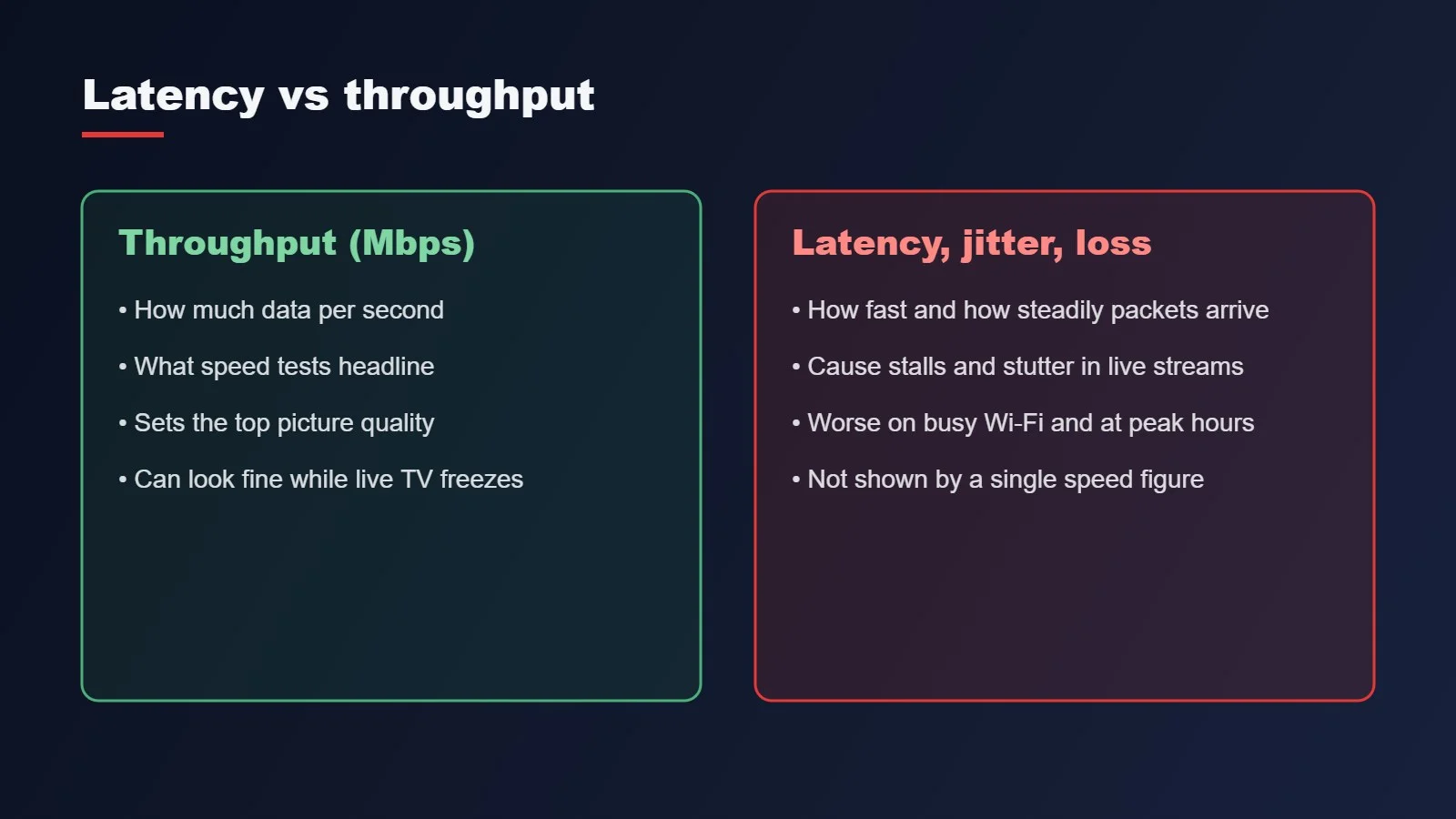
Download speed measures how much data can move over a connection in a period of time. Latency describes delay, while jitter describes variation in delay. Live television also depends on packet loss, buffer design, encoding and the delivery network. A high headline speed does not prevent brief interruptions when packets are delayed or lost. Likewise, a ping to a public website does not measure the end-to-end video path. For Brazilian viewers, test the actual stream during busy hours and record repeatable symptoms rather than trusting claims about a nearby server.
The four measurements that matter for IPTV latency in Brazil
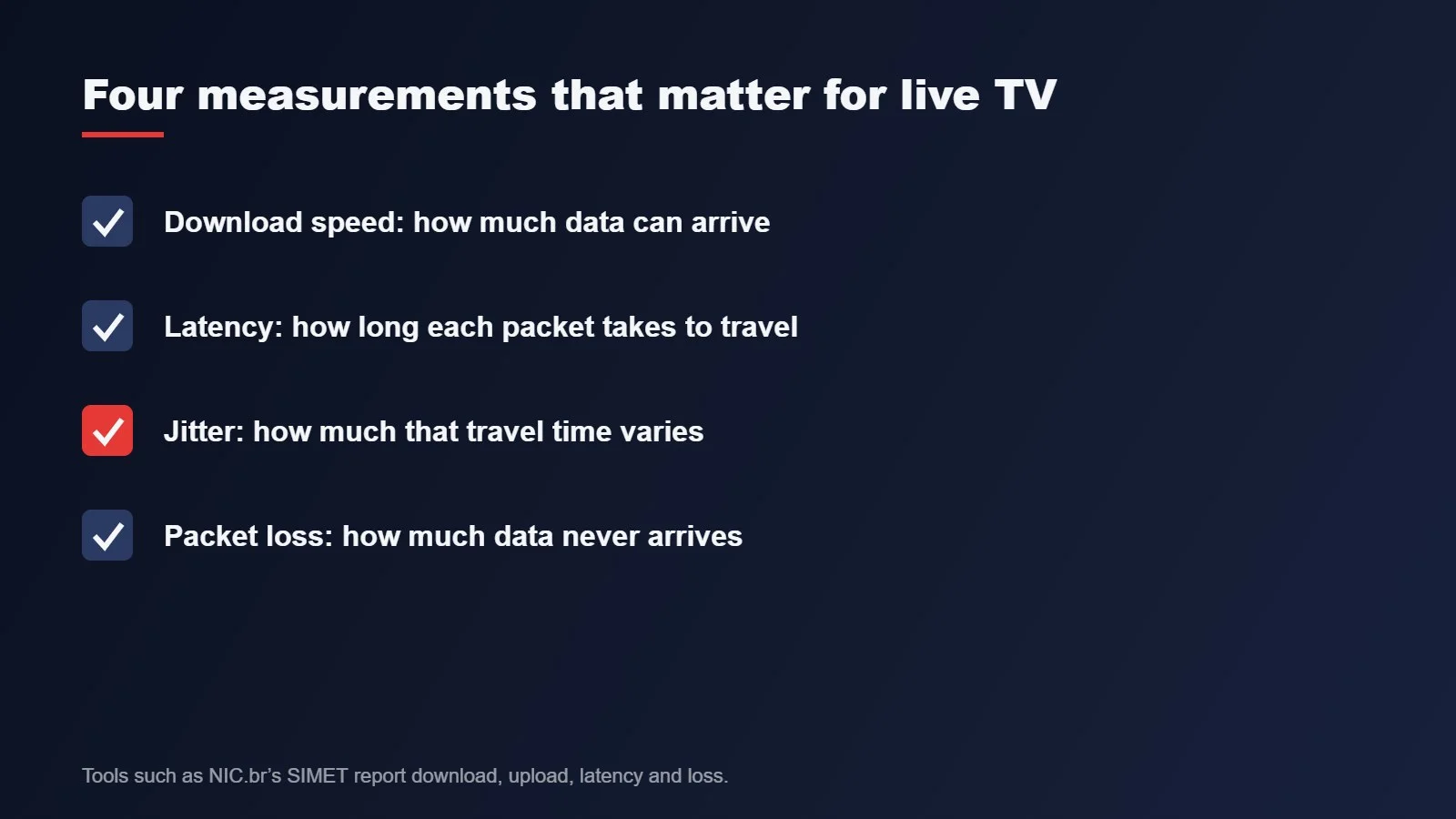
Download speed answers how much data can arrive, but live playback also depends on consistency. Latency is the time a packet takes to travel; jitter is the variation in that time; packet loss indicates that some data does not arrive successfully. These figures tell different stories. A fast link with brief bursts of packet loss can produce playback problems even when its average throughput seems impressive.
NIC.br’s SIMET measures download, upload, latency and loss, making it a useful independent starting point. Record the measurement time and whether the device was wired or wireless. Do not interpret a favorable number to a public test server as proof that any particular IPTV endpoint is fast, nearby or legitimate.
Design a repeatable measurement, not a viral speed-test screenshot
Pick a weekday afternoon, a busy evening and a weekend period. Use the same computer or media device if it supports testing, then document the connection type, app version, Wi-Fi band, router and location inside the home. Repeat each test more than once, because a single result can be an outlier. Record not only the best value but the range of results.
Stop background cloud backups and note whether other people are streaming during the test. Compare the outcomes with video behavior at the same moment. If broadband metrics are healthy but one lawful stream continues to fail, investigate the application, content provider or path to that service; a speed-test site cannot isolate the failure by itself.
Why ‘server in Brazil’ is an ambiguous marketing claim
A video player may contact authentication, playlist, analytics and media-delivery endpoints that are in different places. A provider might also use a distributed content-delivery network, where the apparent endpoint changes over time. Consequently, an IP geolocation database, a ping to a homepage and a screenshot of a map cannot reliably establish the physical origin of the video packets. Ask for evidence if a supplier claims a particular hosting arrangement, and avoid turning inferred geography into a promise of better streaming. Network routing, peering, congestion, server capacity and application behavior can matter more than physical distance alone. Even a genuine Brazilian endpoint would not guarantee a stable event under heavy demand.
Read latency and player delay as separate clocks
A low network round-trip time does not mean that a live stream is only a few milliseconds behind a broadcast. Encoders, packaging, content delivery, buffering and device decoding all add time. Most viewers notice delay when a neighbor reacts to a goal before their screen does, but a ‘low latency’ connection test does not measure that glass-to-glass viewing delay.
Compare the same authorized event between two devices only when access terms permit and note the approximate offset; do not publish an exact accuracy claim without synchronized measurement. An app with a larger buffer may be more stable under transient network variation, while a smaller buffer can reduce delay at the expense of interruptions. Explain that tradeoff rather than claiming one setting is always best.
Diagnose a freeze by its scope
If only one channel repeatedly stalls while other programs in the same application continue, collect that channel’s identifier, local time and device model. If several applications fail on one television but work on a laptop, prioritize television software, decoder limitations and its network interface. If every device on the home network loses performance, inspect the router and the access provider first.
Swapping DNS providers or toggling a VPN changes the path and can add variables; it is not a universal repair. An IPTV support agent cannot diagnose a problem from the words ‘buffering’ alone. A short set of time-stamped tests often identifies which team is actually responsible for the next step.
A São Paulo-to-rural test example without fabricated speeds
Imagine one viewer on wired fiber in an apartment and another on a shared 4G connection outside a major city. Even if both reach a similar average download figure, the mobile connection may show wider fluctuations at peak times; the apartment may instead suffer poor Wi-Fi because the TV is behind thick walls. Both should test on their actual playback devices, and both should compare results with another legitimate video app. Do not invent a numerical advantage for either access type. Local measurements are evidence; a general stereotype about urban and rural networks is not. Anatel’s consumer material also stresses that routers, walls and wireless bands influence observed quality.
Practical network evidence table
| Symptom | Useful check | What it does not establish |
|---|---|---|
| Long stream startup | Compare wired/wireless and another app | Server’s physical city |
| Frequent short stalls | Inspect packet-loss pattern | That the ISP is throttling IPTV |
| Smooth video but delayed score | Compare player buffers | Poor broadband speed |
| Only one device freezes | Check firmware and decoding load | A general service outage |
| All apps stall in the evening | Repeat SIMET at the same hour | Guaranteed blame on one provider |
Turn the measurements into a support ticket
A precise report can be short: ‘Sunday 20:45 local time; Android TV; Ethernet; one channel pauses while two authorized alternatives play; SIMET sample attached.’ That is much more useful than a screenshot showing the highest speed achieved at noon. Redact private IP addresses, credentials and billing information from shared images. Ask support what observation would distinguish a device issue from a media-delivery issue, and record the answer. For recurring failures, collect two or three examples on different days before making broad claims. This guide measures the viewing path, not how to rank vendors; it intentionally complements, rather than duplicates, Plus TV’s general server and buffering posts.
An end-to-end experiment that isolates three layers
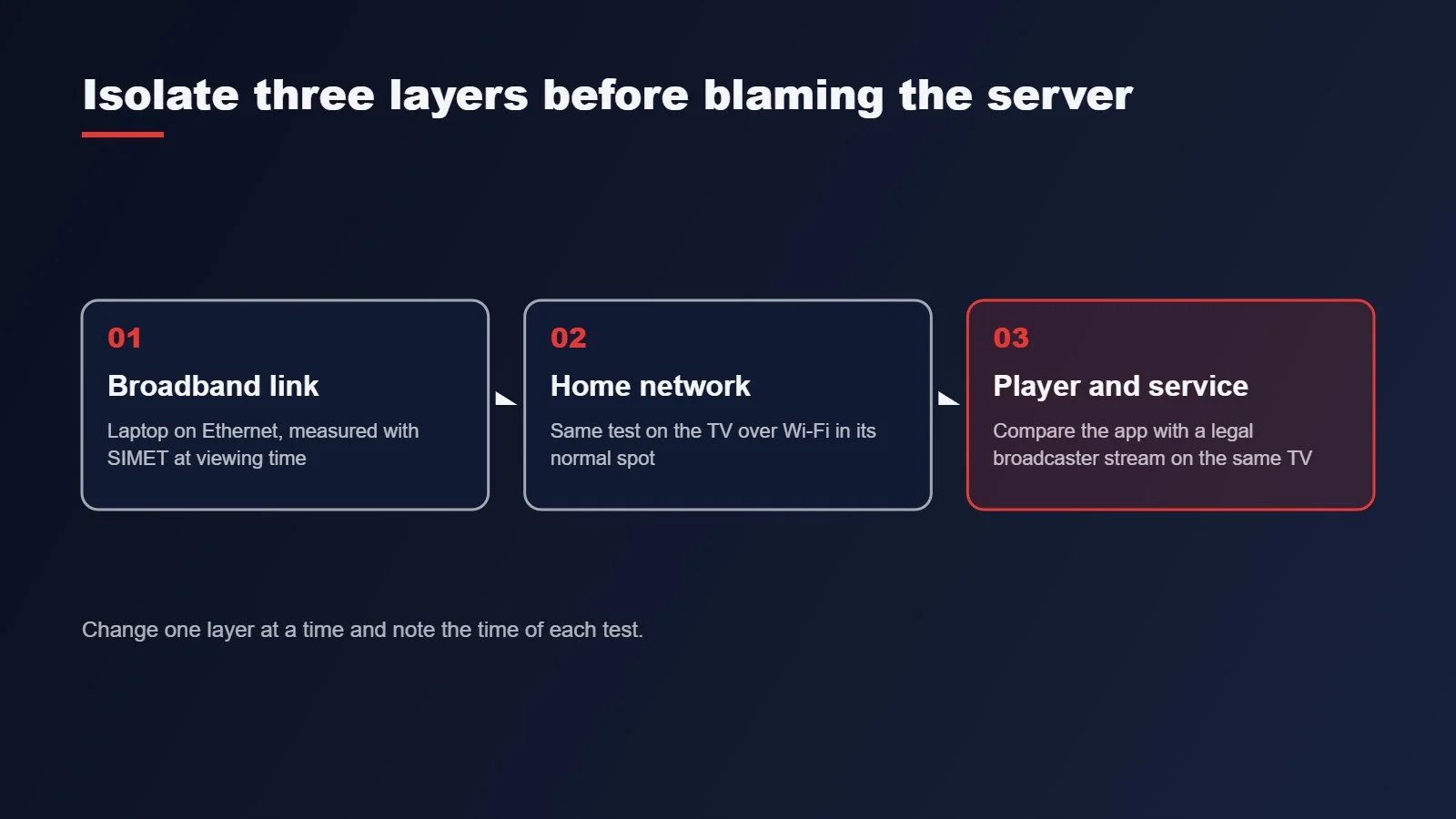
Begin with a controlled evening session on a laptop connected directly to the router. Measure the broadband link with SIMET and record its average and variation. Next, watch one authorized stream while observing startup, stalls and any picture-quality changes; if there is no authorized test content, do not substitute an unknown playlist. Finally, repeat with the television in its usual location and normal Wi-Fi connection.
The difference between the laptop and TV sessions is useful because it changes the playback device and local wireless path while leaving the broader access service mostly the same. Never claim that a single result identifies a particular delivery server. It merely narrows the next question: is this an access, in-home, player or content-delivery symptom? A clear experimental log is much better evidence than a vendor’s diagram of supposed worldwide nodes.
DNS, routing and CDN changes require careful interpretation
Changing DNS can sometimes alter how an application discovers a service, but it does not increase the capacity of a congested Wi-Fi link. A CDN may dynamically send viewers to different delivery endpoints; location information seen in a public database may describe the registration of an address range rather than a precise physical machine. A route can also be asymmetric, with traffic returning along a path different from the path measured by diagnostic packets.
These are reasons to avoid absolute claims such as “all Brazilian traffic passes through São Paulo” without data. When playback is disrupted, compare conditions methodically and use the provider’s documented diagnostics. Avoid speculative “boosters,” proxy chains or settings that break a service’s access rules. Good troubleshooting reduces variables instead of adding several unknown changes at once.
Keep measurement artifacts proportionate and private
A support ticket may benefit from a graph of jitter, the time of a freeze and a short description of the device. It does not need a screenshot exposing login tokens, billing details or every address visible in a router interface. If a problem is intermittent, record two or three separate incidents and note whether others in the household experienced the same interruption.
For repeat tests, use a consistent naming convention: date, local time, Ethernet/Wi-Fi, playback device and affected stream. This turns anecdote into a small reproducible data set. It still cannot prove a supplier’s lifetime uptime or future performance; it helps decide whether further tests are worth the effort and whom to contact next.
Plan for buffering without guessing
Buffering can originate in several places: the home Wi-Fi link, a busy Internet access network, a congested transit route, the content delivery system, the player or the device itself. Start with the simplest isolation tests. Close competing downloads, restart the app, compare another legitimate streaming service and try Ethernet. If only one channel fails, record its name and the time. If all streams fail at the same time, record the device model and connection type. Good support can act on specific evidence; vague reports such as ‘nothing works’ make diagnosis slower.
Frequently asked questions
What is the difference between ping and streaming delay?
Ping measures network round-trip time to a chosen endpoint. Live-stream delay also includes encoding, buffering, distribution and decoding; therefore a low ping alone does not mean an event is nearly live.
Can SIMET identify an IPTV provider’s server city?
No. SIMET measures the connection to its test infrastructure. It can inform network diagnosis, but it cannot establish the location or performance of an unrelated media-delivery endpoint.
Does a high download speed rule out packet loss?
No. Throughput and loss are different metrics. Short loss bursts or unstable wireless connections can affect video even when a speed test reports high average download capacity.
Is a VPN a reliable fix for buffering in Brazil?
Not generally. A VPN changes the traffic path and may add delay; it can also breach service terms. Diagnose the home network, device and authorized service before changing routes.
Why does one channel stall while others work?
The affected feed, player decoding or its delivery path may differ. Record the channel, local time and device, then compare authorized alternatives on the same setup before assigning blame.
What evidence should I send to technical support?
Include device and app versions, wired or Wi-Fi status, local timestamps, channels affected and any relevant SIMET measurements. Never send passwords or full billing records.
Related Plus TV reading
Official references and additional reading
The independent references above explain regulatory, technical or consumer issues. They do not endorse Plus TV or establish any particular content license. Product catalogs, app access and live-event rights should be checked again before any publication or purchase.
Related Articles
November 20, 2026
IPTV in Kosovo, Serbia and North Macedonia: Language and Device Compatibility Guide

November 20, 2026
IPTV in the Balkans: A Regional Viewing Guide for Families and Diaspora

November 20, 2026
IPTV in Albania: Devices, Albanian Language and Setup Guide

November 20, 2026