
🔥 FLEXIBLE & SECURE PAYMENTS — USDT • USDC • BTC • ETH • SOL • TRON (TRC20) • BINANCE PAY • KAST & MORE
How to Pay for IPTV With USDT Safely in 2026
A practical routine for paying for IPTV with USDT: confirm the service, match the network, calculate fees, verify the address and track activation.
 plustv
•
13 min read
You have found a subscription you like and the checkout offers USDT. Before you press Send, there is one detail worth slowing down for: the network. A stablecoin transfer sent to the wrong address or over the wrong blockchain may be impossible to recover. This guide explains how to pay for IPTV with USDT safely, from checking the service and choosing the correct network to confirming the payment and getting help if activation is delayed.
It is written for customers who already hold USDT or are comfortable using a crypto wallet. It does not promise anonymity, guaranteed refunds or uninterrupted streaming — no honest payment guide can. What it does give you is a repeatable routine that removes the most common, and most expensive, mistakes.
Table of Contents
Quick checklist: how to pay for IPTV with USDT safely
If you only read one section, make it this one. Work through the list in order before every payment.
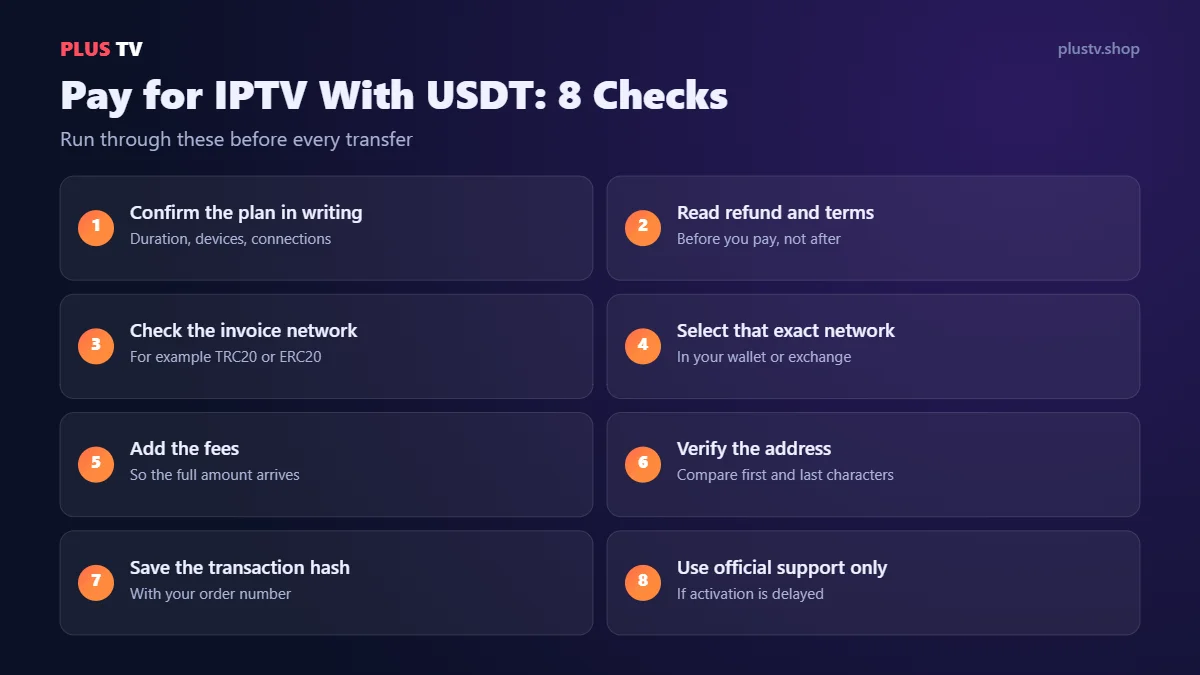
- Confirm the plan, duration, supported devices and number of connections in writing.
- Read the refund policy and terms of service before you pay, not after.
- Check which USDT network the checkout requests (for example TRC20 or ERC20).
- Select exactly that network in your wallet or exchange withdrawal screen.
- Calculate the full amount, including withdrawal and network fees, so the merchant receives the invoiced sum.
- Copy the receiving address from the official checkout and compare the first and last characters.
- Save the order number and the transaction hash (TXID) once the transfer is sent.
- Contact support through the official channel only if activation does not arrive in the stated time.
Before you pay: confirm the service, not just the price
A wallet address tells you nothing about the business behind it. Cryptocurrency is simply a payment method; it does not verify a supplier or protect you from a disappointing service. The important decisions happen before you open your wallet.
Ask for the exact plan name, how long it lasts, which devices and apps are supported, and how many screens can be used at the same time. Confirm how activation works and when login details will arrive. If you are unsure whether a particular app or device is supported, check the installation tutorial before buying rather than after.
Content matters as much as the payment. Review the channel list for the regions and categories you actually watch, and make sure the provider is authorised to supply that content where you live. A checkout that accepts USDT cannot compensate for missing channels or unstable playback, and it does not change anyone’s copyright obligations.
Finally, read the refund and returns policy and the terms of service. Because blockchain transfers are generally irreversible, a written policy is the main protection you have if something goes wrong.
Choose the right USDT network
USDT is issued on several blockchains, and the same token on two different networks is not interchangeable at the transfer level. A payment requested on TRON (TRC20) must be sent over TRON. Sending USDT over an incompatible network can leave the funds stuck at an address the merchant cannot access. Tether publishes the blockchains it currently supports, and that list changes over time, so treat any old screenshot or chat message as out of date.
The table below summarises what to look for on the networks you are most likely to see at a checkout.
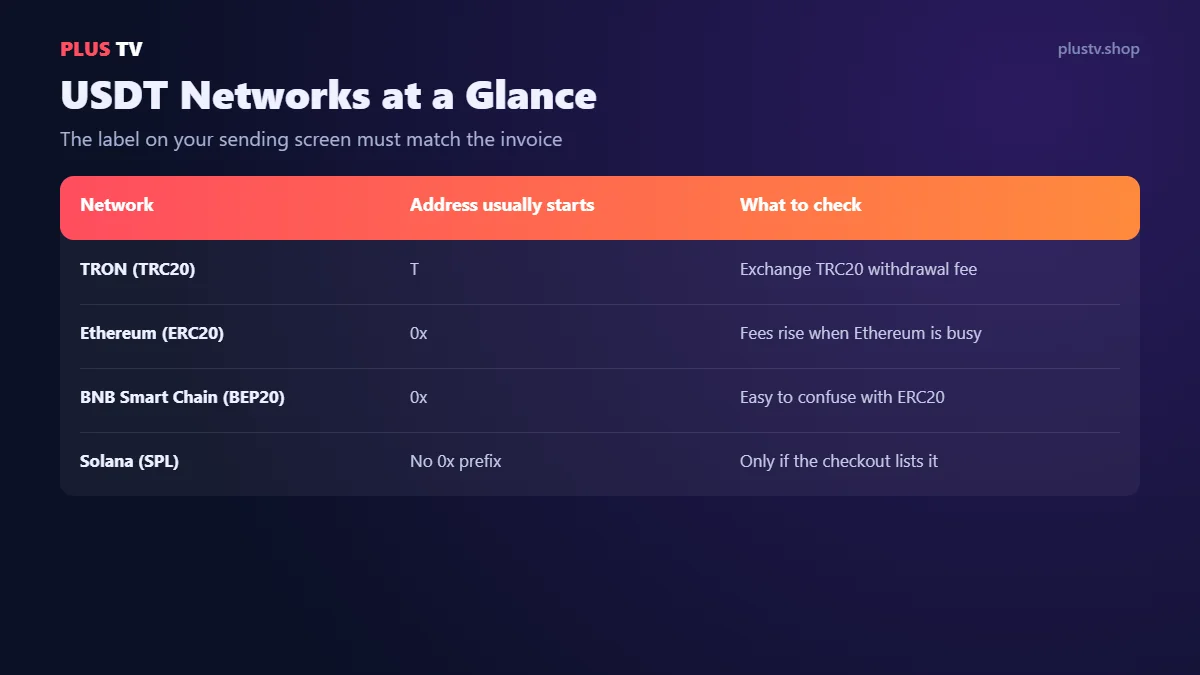
| Network | Address usually starts with | What to check |
|---|---|---|
| TRON (TRC20) | T | Fees are paid in TRON resources; check your exchange’s TRC20 withdrawal fee |
| Ethereum (ERC20) | 0x | Network fees can rise sharply when Ethereum is busy |
| BNB Smart Chain (BEP20) | 0x | Looks like an Ethereum address — easy to confuse, so check the label, not the format |
| Solana (SPL) | A base58 string (no 0x) | Only use if the checkout explicitly lists Solana |
The rule is simple: the network label on your sending screen must match the network label on the invoice. If the checkout lists TRC20 and your exchange defaults to ERC20, change it before confirming. If the network you prefer is not offered, ask support whether it is accepted rather than guessing.
What about sending a small test amount first? It can be sensible for a large or first-time payment, but ask support before doing it. Some checkouts match orders by exact amount, so a partial test transfer may leave the order unpaid and need manual reconciliation. If the merchant agrees, send the test, confirm it arrived in a block explorer, and only then send the balance to the same verified address on the same network.
Work out the full amount before sending
The price on a subscription page is not always the amount that arrives in the merchant’s wallet. Exchanges usually charge a withdrawal fee, networks charge their own fees, and some platforms set a minimum withdrawal. If you withdraw exactly the invoice amount and the fee is deducted from it, the merchant may receive slightly less than expected and automatic matching can fail.
Check whether the invoice is fixed in USDT or priced in dollars or euros and converted at the moment of payment. With a fixed USDT invoice, add the fees on top so the received amount matches. With a currency-priced invoice, pay within the time window shown, because some checkouts expire and recalculate. Small discrepancies are one of the most common reasons an order sits in “pending” status even though the transfer succeeded.
Before committing, compare the total cost — subscription plus fees — with any other payment option available to you. Paying in USDT should be a convenience, not an extra expense you did not expect.
Verify the receiving address
Always copy the address from the provider’s official checkout page or invoice, not from an old conversation, an email you were not expecting or a message from a new account claiming to be support. Impersonation is a well-documented tactic: a scammer joins a chat, says the wallet “has changed” and supplies a new address. If an address changes mid-conversation, stop and verify it through an independent official channel.
After pasting, compare the first four and last four characters with the original. Clipboard-hijacking malware can silently swap a copied address, so this visual check is worth the extra ten seconds. Many wallets let you save a verified address with a label; use that feature for merchants you pay regularly.
Step by step: sending USDT from an exchange
The exact screens differ between exchanges and wallets, but the sequence is almost always the same. Keep the checkout page open in one tab and your exchange in another.
- Open the withdrawal or Send screen for USDT, not for another stablecoin.
- Choose the network that matches the invoice. If the exchange shows several USDT networks, read the label carefully rather than relying on the default.
- Paste the receiving address from the checkout, then compare the first and last characters.
- Enter the amount. If the invoice is fixed in USDT, add the withdrawal fee so the merchant receives the full sum.
- Review the confirmation screen: token, network, address and amount. This is your last chance to catch an error.
- Confirm with your two-factor code and wait for the exchange to broadcast the transfer.
- Copy the transaction hash from your withdrawal history and keep it with your order number.
If you are using a self-custody wallet instead of an exchange, make sure it holds enough of the network’s native asset to pay the fee — for example TRX on TRON or ETH on Ethereum. A wallet with USDT but no fee balance cannot send the transfer.
Common mistakes buyers make
The most expensive errors are usually mundane rather than technical. Watch out for these:
- Reusing an old address. Copying a wallet address from a previous order or an old chat instead of the current invoice.
- Trusting the default network. Many exchanges pre-select a network; it is not always the one the merchant accepts.
- Forgetting the fee. Sending the invoice amount and letting the fee reduce what arrives.
- Paying without an order reference. Making it hard for support to match the transfer to your purchase.
- Assuming the app is included. Some IPTV player apps charge their own activation fee, separate from the subscription.
- Believing big promises. Claims of guaranteed uninterrupted streaming, every event available or instant refunds on confirmed blockchain transfers should make you more cautious, not less.
Protect your wallet and personal data
No subscription seller needs your seed phrase, private key, recovery words or a one-time security code to receive a payment. Anyone asking for them is not processing a payment — they are trying to take control of your wallet. The same applies to links asking you to “connect your wallet” to claim a discount.
Keep wallet software and exchange apps updated, turn on two-factor authentication and use a unique password for your IPTV account. Do not reuse your main email password. When you share payment evidence with support, send the transaction hash and order number rather than a screenshot that shows balances or other wallet details. The US Federal Trade Commission’s guide on cryptocurrency and scams is a good primer on the warning signs.
It is also worth knowing that paying in USDT is not automatically private. Public blockchains record every transfer, and exchanges usually hold identity information about their customers. Choose crypto because it is convenient for you, not because you expect anonymity.
What happens after you pay for IPTV with USDT
Once your transfer is broadcast, the blockchain records its progress. The merchant may wait for a number of network confirmations before marking the order as paid, and confirmation time varies with the network and how busy it is. A delay of a few minutes does not mean the payment has failed.
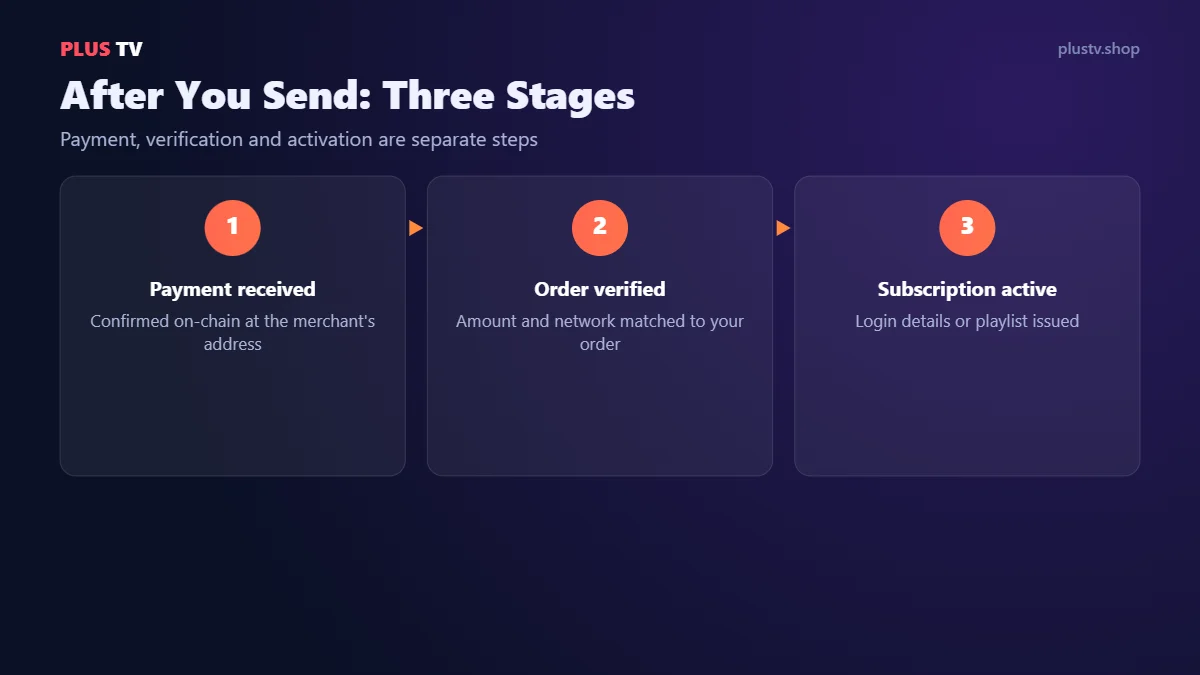
A well-run checkout distinguishes three separate stages:
- Payment received — the transfer has reached the merchant’s address and been confirmed on-chain.
- Order verified — the amount and network have been matched to your order.
- Subscription activated — your login details or playlist have been issued.
You can follow the first stage yourself. Paste the transaction hash into a reputable block explorer for the network you used — for TRC20 transfers that is Tronscan — and check that the status shows as confirmed and the receiving address matches the invoice. Once access is issued, note the start and expiry dates of your subscription somewhere safe.
Troubleshooting a delayed activation
If the explorer shows the transfer as confirmed but your subscription has not arrived within the time stated at checkout, work through these steps before taking any further action:
- Check your inbox and spam folder for the activation email.
- Confirm the amount received matches the invoice after fees.
- Confirm the network you used matches the one on the invoice.
- Contact support through the official channel with your order number and transaction hash.
- Do not send a second payment until the first has been investigated.
A helpful support response should acknowledge the transaction and explain what is being checked. If the amount was short because of fees, the usual fix is to send the difference to the same address after support confirms it — never to a new address supplied in an unverified message.
Refunds and reversibility
Most cryptocurrency transfers cannot be reversed once confirmed. Unlike some card payments, there is no bank-level chargeback process. A merchant may refund you voluntarily, but that depends entirely on its written policy and cooperation, and refunds are normally returned in crypto to an address you provide.
This is why reading the refund policy before paying matters so much. Keep a record of the invoice, the transaction hash and any support conversation. If you sent USDT on the wrong network, contact the receiving merchant immediately: in some cases funds can be recovered by the address owner, but there is no guarantee and recovery may carry a fee.
Is USDT the right way for you to pay?
USDT can suit customers who already hold stablecoins, want to avoid card currency-conversion charges or prefer a cross-border payment method. It is less suitable if you are new to wallets, would need to buy crypto specifically for this purchase, or value a formal dispute process. For a broader look at the options, see our guide to buying IPTV with crypto, which covers the other coins accepted at checkout.
If you are buying USDT for the first time, do not let anyone rush you into it. Compare the full cost, use a wallet or exchange you understand, and follow the laws and payment rules that apply where you live.
Frequently asked questions
Can I pay for IPTV with USDT on any network?
No. You must use the exact network shown on the invoice, such as TRC20 or ERC20. The same token sent over a different network may not reach the merchant and can be difficult or impossible to recover.
Is paying with USDT anonymous?
Not necessarily. Public blockchains record every transfer, and most exchanges verify their customers’ identity. USDT is a payment method, not a privacy tool.
How long does activation take after a USDT payment?
It depends on network confirmations and how the merchant reconciles payments. Check the transfer in a block explorer first; if it is confirmed and access has not arrived within the stated time, contact support with your order number and transaction hash.
What should I do if I sent USDT on the wrong network?
Contact the merchant immediately with the transaction hash. Recovery is sometimes possible if the address owner controls the same address on that network, but it is not guaranteed and may involve a fee.
Is USDT the same as USDC?
No. Both are US dollar stablecoins, but they are issued by different companies and are separate tokens. Only send the coin the invoice asks for.
Can I get a refund on a USDT payment?
Confirmed blockchain transfers cannot be reversed by your bank or wallet. Any refund depends on the merchant’s written policy, so read it before you pay.
Final checklist before you send
Paying for IPTV with USDT is straightforward once the routine becomes habit: verify the service, read the policies, match the network, calculate the full amount, check the address and keep the transaction hash. Do those six things every time, and the payment method becomes a practical choice rather than a gamble.
Related Articles

November 20, 2026
IPTV in Kosovo, Serbia and North Macedonia: Language and Device Compatibility Guide

November 20, 2026
IPTV in the Balkans: A Regional Viewing Guide for Families and Diaspora

November 20, 2026
IPTV in Albania: Devices, Albanian Language and Setup Guide
November 20, 2026